用過 Livewire 的人大概都體會過那種爽感:不用寫 API,不用管前後端分離,在 PHP 裡定義狀態和方法,Blade 模板自動變成 reactive UI。但 Livewire 的前端是 Alpine.js,功能比較受限。想用 Vue 的生態系(Vuetify、Pinia、各種 Vue plugin),就得跳回 Inertia.js,然後又得寫 .vue 檔、管 props 傳遞、處理前端狀態。
LiVue 想解決的就是這個問題:把 Livewire 的 server-driven 架構搬到 Vue 3 上。PHP 負責狀態和邏輯,Vue 3 負責 DOM reactivity,Blade 模板裡直接寫 Vue directive。
運作原理
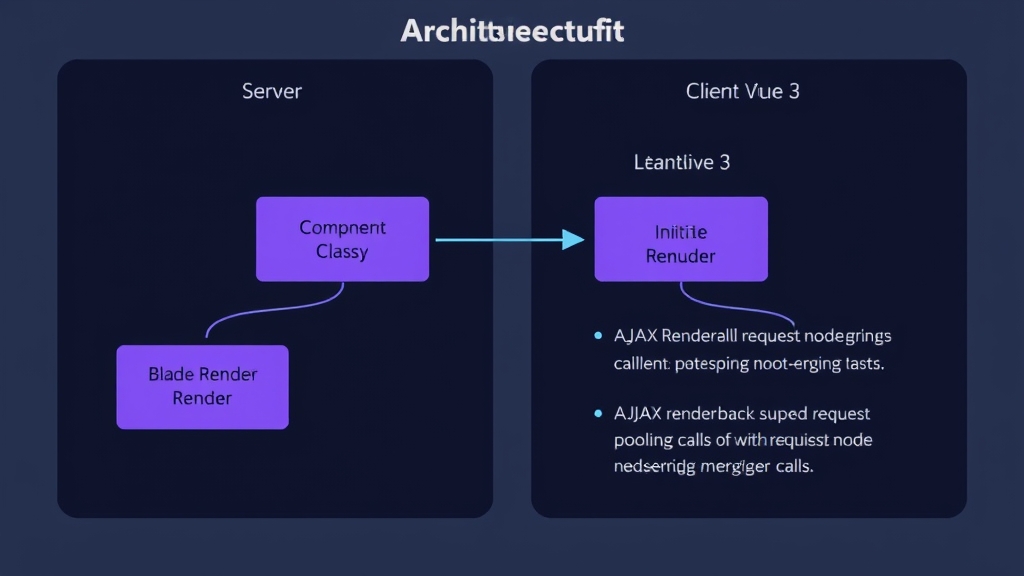
LiVue 的請求週期分五步:
- PHP Component class 定義 public properties(reactive state)和 public methods(可呼叫的 action)
- Blade 模板裡混用 Blade 語法和 Vue directive(
v-click、v-model、v-if、v-for) - Laravel 在 server 端 render 完整 HTML,狀態經過加密和 HMAC 簽章後嵌入頁面
- Vue 3 在 client 端 hydrate DOM
- 使用者操作觸發 AJAX 呼叫,server 重新 render component 並 diff DOM
同一個 tick 內的多個 server call 會自動合併成一個 HTTP 請求(request pooling),減少網路往返。
安裝
1
2
| composer require livue/livue
php artisan vendor:publish --tag=livue-config
|
resources/js/app.js 加上:
1
2
| import LiVue from 'livue';
LiVue.start();
|
vite.config.js 一定要加這個 alias,不然 Vue 的 template compiler 不會被載入:
1
2
3
4
5
6
7
8
| // vite.config.js
export default defineConfig({
resolve: {
alias: {
'vue': 'vue/dist/vue.esm-bundler.js' // 這行很關鍵
}
}
});
|
Blade layout 裡加上 @livueStyles 和 @livueHead:
 1
 2
 3
 4
 5
 6
 7
 8
 9
10
11
| <!DOCTYPE html>
<html>
<head>
@livueStyles
@livueHead
@vite(['resources/js/app.js'])
</head>
<body>
{!! $slot !!} {{-- 要用 unescaped,因為裡面有 rendered HTML --}}
</body>
</html>
|
如果 config 裡 inject_assets 是 true(預設),這些 directive 其實可以省略。
第一個 Component:Counter
1
| php artisan make:livue Counter
|
產出兩個檔案:
app/LiVue/Counter.php:
 1
 2
 3
 4
 5
 6
 7
 8
 9
10
11
12
13
14
15
16
17
18
19
20
21
22
23
| namespace App\LiVue;
use LiVue\Component;
class Counter extends Component
{
public int $count = 0;
public function increment(): void
{
$this->count++;
}
public function decrement(): void
{
$this->count--;
}
protected function render(): string
{
return 'livue.counter';
}
}
|
resources/views/livue/counter.blade.php:
1
2
3
4
5
| <div class="flex items-center gap-4">
<button v-click:decrement> - </button>
<span>@{{ count }}</span>
<button v-click:increment> + </button>
</div>
|
在任何 Blade view 裡用 @livue('counter') 或 <livue:counter :count="5" /> 就能 render。
跟 Livewire 的思路幾乎一樣:public property 就是 reactive state,public method 就是前端可以呼叫的 action。差別在模板裡用的是 Vue directive 而不是 Alpine。
Directive 速查
LiVue 提供了一整套自訂 directive,覆蓋大部分互動場景:
v-click:呼叫 server method
1
2
3
4
| <button v-click:save>儲存</button>
<button v-click:delete="{{ $item->id }}">刪除</button>
<button v-click:search.debounce.300ms>搜尋</button>
<button v-click:submit.throttle.500ms>送出</button>
|
支援 .prevent、.stop、.once、.debounce、.throttle 等 modifier。
v-model:雙向綁定
1
2
3
| <input v-model="name" type="text" />
<input v-model.debounce.500ms="search" /> {{-- 打字 500ms 後才 sync --}}
<input v-model.blur="email" /> {{-- 失焦才 sync --}}
|
v-submit:表單送出
1
2
3
4
5
| <form v-submit:save>
<input v-model="name" />
<input v-model="email" />
<button type="submit">儲存</button>
</form>
|
v-loading:AJAX 載入狀態
1
2
3
4
| <div v-loading>載入中...</div>
<div v-loading:remove>載入完畢後才顯示的內容</div>
<span v-loading.action="'save'">正在儲存...</span>
<div v-loading.class="'opacity-50 pointer-events-none'">內容區</div>
|
v-poll:自動輪詢
1
2
3
| <div v-poll.5s="'refreshData'">
最後更新:@{{ lastUpdated }}
</div>
|
瀏覽器分頁不在前景時會自動暫停。
v-intersect:進入 viewport 時觸發(無限捲動)
1
2
3
| <div v-intersect:loadMore>
<span v-loading>載入更多...</span>
</div>
|
其他還有 v-navigate(SPA 導航)、v-dirty(未儲存變更提示)、v-offline(離線狀態)、v-sort(拖拉排序)、v-transition(View Transitions API)等。
三種 Component 格式
Class-Based(預設)
就是上面 Counter 的寫法:PHP class + Blade template 分開。
Single File Component
PHP 邏輯和模板寫在同一個 .blade.php 裡:
 1
 2
 3
 4
 5
 6
 7
 8
 9
10
11
12
13
14
15
16
17
| <?php
use LiVue\Component;
new class extends Component {
public int $count = 0;
public function increment(): void
{
$this->count++;
}
};
?>
<div>
<span>@{{ count }}</span>
<button v-click:increment>+1</button>
</div>
|
用 php artisan make:livue MyComponent --single 產生。適合邏輯簡單的小元件。
Multi File Component
一個資料夾裡放 PHP、Blade、JS、CSS 各一個檔案:
1
2
3
4
5
| resources/views/livue/my-widget/
├── my-widget.php # anonymous class
├── my-widget.blade.php # 模板
├── my-widget.js # Vue Composition API(可選)
└── my-widget.css # 自動 scoped(可選)
|
CSS 會自動加上 data-livue-scope-{name} attribute 做 scoping。適合需要 client-side JS 邏輯的複雜元件。
Page Component:整頁路由
LiVue component 可以直接當 route 的 controller:
1
2
3
4
| // routes/web.php
LiVue::route('/dashboard', App\LiVue\Dashboard::class)
->name('dashboard')
->middleware('auth');
|
 1
 2
 3
 4
 5
 6
 7
 8
 9
10
11
12
13
| #[Layout('layouts.admin')]
#[Title('Dashboard')]
class Dashboard extends Component
{
// head() 可以設定 SEO meta
protected function head(): array
{
return [
'description' => '管理後台首頁',
'og:title' => 'Dashboard',
];
}
}
|
支援 description、robots、og:*、twitter:*、canonical、json-ld 等 SEO 相關 tag。
Lifecycle Hooks
| Hook | 時機 |
|---|
boot() | 每次請求(初始 + AJAX) |
mount(...$params) | 第一次 render,接收 props |
hydrate() | AJAX 請求,狀態還原後 |
dehydrate() | 狀態序列化前 |
updating($key, $value) | property 更新前,可修改值 |
updated($key, $value) | property 更新後 |
還有 property-specific 的版本,例如 updatingEmail()、updatedEmail()。
 1
 2
 3
 4
 5
 6
 7
 8
 9
10
| public function mount(User $user): void
{
$this->name = $user->name;
$this->email = $user->email;
}
public function updatingEmail(string $value): string
{
return strtolower(trim($value)); // 自動轉小寫去空白
}
|
PHP Attributes 一覽
LiVue 大量使用 PHP 8 Attribute 來設定行為:
 1
 2
 3
 4
 5
 6
 7
 8
 9
10
11
12
13
14
15
16
17
| // Property
#[Validate('required|min:3')] // Laravel 驗證規則
#[Url(as: 'q', history: true)] // 同步到 URL query string
#[Session(key: 'prefs')] // 跨頁面持久化
#[Guarded] // 加密,JS 看不到
#[Reactive] // 父元件 re-render 時自動更新
// Method
#[Computed] // 快取計算結果
#[Confirm('確定要刪除嗎?')] // 彈出確認對話框
#[Renderless] // 不重新 render HTML
#[On('event-name')] // 事件監聽
// Class
#[Island] // 獨立 Vue app instance
#[Lazy] // 進入 viewport 才載入
#[TabSync] // 跨分頁同步狀態
|
#[Url] 很實用,搜尋頁面的 query 直接反映在網址列,使用者可以直接分享搜尋結果的 URL。
#[Lazy] 搭配 placeholder() 可以做 skeleton loading:
 1
 2
 3
 4
 5
 6
 7
 8
 9
10
11
12
13
| #[Lazy]
class HeavyChart extends Component
{
public function placeholder(): string
{
return 'livue.chart-skeleton';
}
public function mount(): void
{
$this->data = DB::table('analytics')->get()->toArray();
}
}
|
Vue 生態系整合
這是 LiVue 跟 Livewire 最大的差別。因為底層就是 Vue 3,所以可以直接用 Vue 的 plugin:
 1
 2
 3
 4
 5
 6
 7
 8
 9
10
11
12
13
14
15
16
| import LiVue from 'livue';
import { createVuetify } from 'vuetify';
const vuetify = createVuetify({
theme: { defaultTheme: 'dark' }
});
LiVue.setup((app) => {
app.use(vuetify);
app.component('MyButton', MyButton);
app.directive('focus', {
mounted(el) { el.focus(); }
});
});
LiVue.start();
|
Pinia 也是內建的,直接 import { defineStore } from 'pinia' 就能用。
Blade 模板裡可以用 @script 寫 client-side 邏輯:
1
2
3
4
5
| @script
import { useCartStore } from './stores/cart';
const cart = useCartStore();
livue.watch('count', (val) => console.log('count changed:', val));
@endscript
|
Streaming:AI 即時串流
LiVue 內建 streaming 支援,用 NDJSON 格式。這在串接 LLM API 時很實用:
 1
 2
 3
 4
 5
 6
 7
 8
 9
10
11
12
| class AiChat extends Component
{
use WithStreaming;
public function ask(string $question): void
{
// 假設 $stream 是從 OpenAI API 拿到的 chunk iterator
foreach ($stream as $chunk) {
$this->stream(to: 'output', content: $chunk);
}
}
}
|
1
2
3
4
5
| <div v-stream="'output'">等待回應...</div>
<button @click="livue.stream('ask', ['什麼是 Vue?'])"
:disabled="livue.streaming">
送出
</button>
|
即時通訊:Laravel Echo 整合
 1
 2
 3
 4
 5
 6
 7
 8
 9
10
11
| #[On('echo:orders,OrderCreated')]
public function handleNewOrder($event)
{
$this->orders[] = $event;
}
#[On('echo-private:user.123,ProfileUpdated')]
public function handleProfileUpdate($event)
{
$this->profile = $event['profile'];
}
|
支援 public、private、presence channel。
跟 Livewire 和 Inertia 的比較
| LiVue | Livewire | Inertia.js |
|---|
| 前端 | Vue 3 | Alpine.js | Vue/React/Svelte |
| 模板 | Blade + Vue directive | Blade + Alpine | 獨立 .vue 檔 |
| 需要寫 API | 不用 | 不用 | 不用 |
| Vue 生態系 | 完整支援 | 不支援 | 完整支援 |
| 狀態管理 | Server-driven | Server-driven | Client-side |
| Streaming | 內建 | 不支援 | 不支援 |
| Islands 架構 | 支援 | 不支援 | 不支援 |
| Tab 同步 | 內建 | 不支援 | 不支援 |
| 成熟度 | 新專案 | 成熟穩定 | 成熟穩定 |
選擇建議:
- 已經在用 Vue 生態系(Vuetify、Element Plus 等),又不想拆成前後端分離 → LiVue
- 不需要 Vue,想要最簡單的 reactive UI → Livewire
- 前端團隊獨立開發,需要完整 SPA 控制權 → Inertia.js
LiVue 目前是 v1.4.8,屬於早期專案。新專案可以嘗試,但在 production 使用前要自行評估成熟度。
參考資源