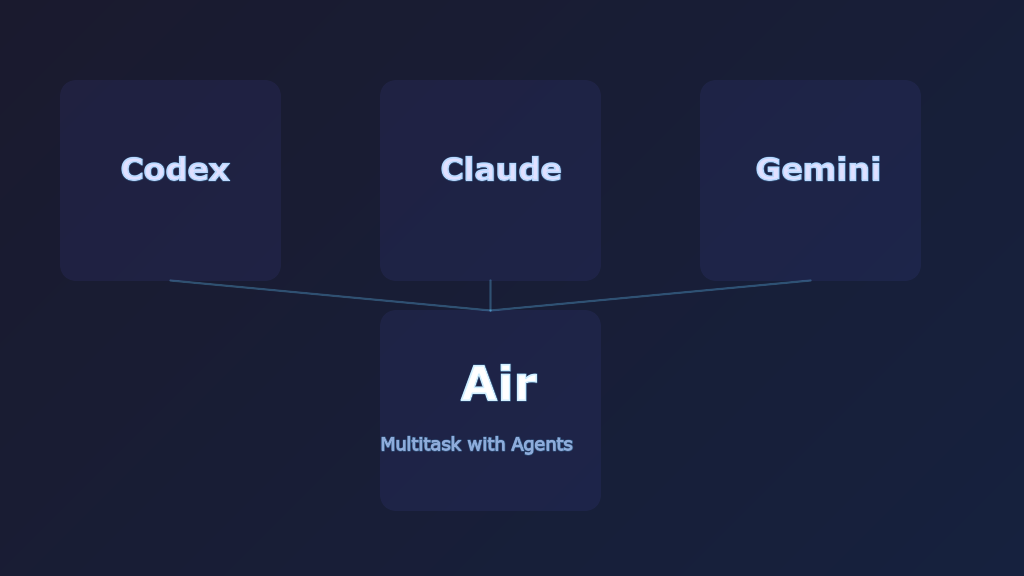
You have a bug to fix, tests to write, and a module to refactor. The old way is to do them one at a time, or juggle multiple terminals yourself. JetBrains Air lets you delegate each task to a different AI agent and run them all simultaneously without interference.
Air isn’t an AI panel bolted onto an existing IDE. It’s a new development environment designed from the ground up for delegating tasks to agents.
Supported Agents
Air ships with four agents:
| Agent | Provider | Strength |
|---|---|---|
| Claude Agent | Anthropic | Long-context understanding, code generation |
| OpenAI Codex | OpenAI | Code-specialized model |
| Gemini CLI | Configurable thinking mode for reasoning depth | |
| Junie | JetBrains | JetBrains’ own agent, included with AI subscription |
Once a task starts, you can switch models but not providers. A Claude task can move from Sonnet to Opus, but can’t switch to Codex mid-task.
Air also supports the Agent Client Protocol (ACP), so more third-party agents can plug in over time.
Three Execution Environments
Each task runs in one of three environments:
Local Workspace
Runs directly in your working directory. Fastest startup, zero configuration, but agent changes hit your files directly.
Best for: quick iterations where isolation isn’t needed.
Git Worktree
Creates a separate working copy of the same repo, isolating changes to another branch.
Configuration lives in .air/worktree.json:
| |
Best for: running multiple tasks that touch the same files without conflicts.
Docker
Runs inside a container with complete isolation. Requires Docker Desktop.
Configuration lives in .air/docker.json:
| |
Custom images must include Git and /bin/sh.
Best for: full isolation where nothing should touch the host system.
Comparison
| Local | Worktree | Docker | |
|---|---|---|---|
| Startup speed | Fastest | Fast | Slower |
| Isolation level | None | File/branch | Complete |
| Configuration needed | No | Optional | Optional |
| Depends on host env | Yes | Yes | No |
Task Lifecycle
A task moves through these stages:
- Define: press
⌘+\to create a new task, describe what you want in chat - Add context: attach files, folders, Git commits, symbols, images, MCP servers
- Choose permission mode:
- Ask Permission: prompts before every file edit or command
- Auto-Edit: automatically accepts file changes
- Plan: analyzes without making changes
- Full Access: no prompts at all
- Execute: the agent starts working
- Input required: the agent pauses and notifies you when it needs a decision
- Done: review changes, commit, push
Use ⌘+1 to see all task states and switch between them.
Parallel Multitasking
This is Air’s core value proposition. You can run multiple tasks simultaneously:
- One agent fixing a bug
- Another writing tests
- A third refactoring a module
Each task runs independently with its own agent session. When a task needs your attention, you get a notification. Handle it and switch back.
If multiple tasks touch the same files, use Git Worktree or Docker to prevent conflicts.
MCP Server Integration
Air supports Model Context Protocol for extending agent capabilities:
- Open settings with
⌘+, - Navigate to AI | MCP Servers
- Click Add Global MCP Server
- Paste the server configuration in JSON format
This lets agents access databases, call APIs, or interact with external systems.
Web Preview
For web projects, Air includes a built-in preview. The dev server launches automatically and shows a preview window. You can switch between preview and source modes, with responsive sizing built in.
Pricing and Availability
- Platform: macOS only for now; Windows and Linux planned for 2026
- Cost: Air itself is free to download
- AI billing:
- JetBrains AI Pro subscribers get all agents included
- You can bring your own API keys (Anthropic, OpenAI, Google)
- If both are configured, your own keys are used first
Real-World Experience (From a JetBrains Developer)
Valerii Tepliakov, a developer on the Air team, shared his adoption journey:
- Started skeptical — cared too much about code quality to trust AI output
- Began with small, reversible tasks alongside IntelliJ IDEA
- Gradually expanded scope, delegating multiple concurrent tasks
- Eventually Air became his primary tool; IntelliJ reserved for debugging only
His key insight: agents struggle with architecture and design decisions. Make the foundational choices yourself, then delegate implementation details.
How Air Differs from Claude Code / Cursor
Air occupies a different niche:
- Claude Code: single agent in a terminal, one task at a time
- Cursor: AI embedded in an IDE, augmenting your editing experience
- Air: multi-agent task manager where you’re the manager and agents are workers
Air doesn’t replace your IDE. It handles agent workflow; you keep using IntelliJ / VS Code for fine-grained editing and debugging.
When Air Makes Sense
- Your project is large enough to have multiple independent tasks running in parallel
- You’d rather review code than write it yourself
- You want to compare agents (e.g., run the same task with Claude and Codex to see which produces better results)
- Your team already decomposes work into well-defined tasks
If your workflow is “focus on one thing at a time, think while you code,” Air’s multi-task architecture may not be what you need.